
Introduction
Discussions about ETL modernisation often focus on features, architecture, or platform capabilities. However, for organisations already running production data pipelines on SQL Server Integration Services (SSIS), the real concern is rarely about features.
The real concern is migration risk.
In Part 1 of this series, we explored how SSIS and Apache Hop differ in their architectural foundations and development philosophies. In Part 2, we examined how those differences translate into performance, scalability, automation, and cloud readiness—along with the broader shift toward Microsoft Fabric as a cloud-first strategy.
These comparisons naturally lead to a more practical question:
If Apache Hop represents a modern alternative, how difficult is it to actually move from SSIS?
Teams responsible for maintaining existing SSIS environments typically ask practical questions such as:
- How difficult will migration be?
- Do we need to rewrite all our pipelines?
- Will existing processes break during transition?
- Can both systems run together during the migration period?
These concerns are valid. Many organisations operate hundreds of SSIS packages supporting critical workloads, and replacing them without disrupting operations is not trivial.
The good news is that migrating from SSIS to Apache Hop is often far less disruptive than expected. While the two tools differ in architecture and execution models, their core ETL concepts align closely, making it possible to modernise pipelines gradually rather than through a risky full replacement.
This article explores the practical realities of migrating from SSIS to Apache Hop, including conceptual mapping, migration strategies, and common patterns observed in real-world projects.
Migration Reality: From SSIS Packages to Apache Hop
For many organisations currently using SSIS, the key question is not whether another tool offers modern capabilities, but how complex the migration process will be.
In practice, moving from SSIS to Apache Hop is often manageable because both tools follow the same fundamental principles of data integration: orchestrating workflows that control the execution of data transformation pipelines.
Although their internal architectures differ, the conceptual model of SSIS translates naturally into Apache Hop.
Conceptual Similarity
Despite architectural differences, the core ETL concepts translate quite naturally between the two tools.
SSIS Concept | Apache Hop Equivalent |
Control Flow | Workflows |
Data Flow | Pipelines |
Parameters & Variables | Parameters & Metadata Injection |
Tasks | Workflow Actions |
Transformations | Pipeline Transforms |
This conceptual alignment makes it easier for developers familiar with SSIS to understand Apache Hop’s design.
No Forced Full Rewrite
Migration does not require rewriting all pipelines at once. Many organisations adopt a gradual transition strategy where:
- New data pipelines are built in Apache Hop
- Existing SSIS packages continue running
- Selected pipelines are migrated over time
This allows SSIS and Apache Hop to coexist during the transition period, reducing operational risk.
Common Migration Patterns
In real-world projects, migration usually begins with simpler or isolated workloads, such as:
- File ingestion pipelines
- SQL-heavy ETL processes
- Scheduled batch data movements
In these cases, much of the existing SQL logic can often be reused directly, allowing teams to migrate the orchestration layer first and modernise the transformation logic later if needed.
Effort Reality
Migration complexity depends heavily on how the original SSIS packages were built.
Typically:
- Simple SSIS packages
Examples:
- Table-to-Table data movement
SSIS
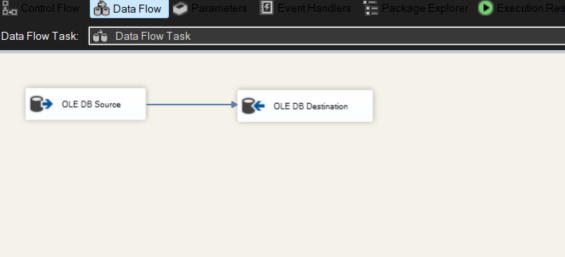
Apache Hop
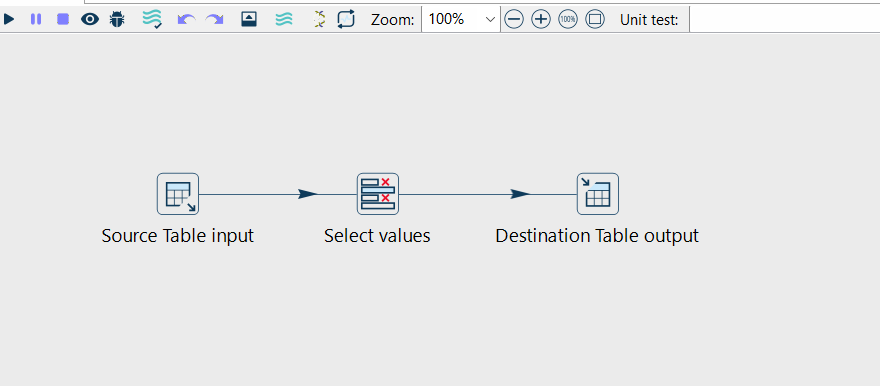
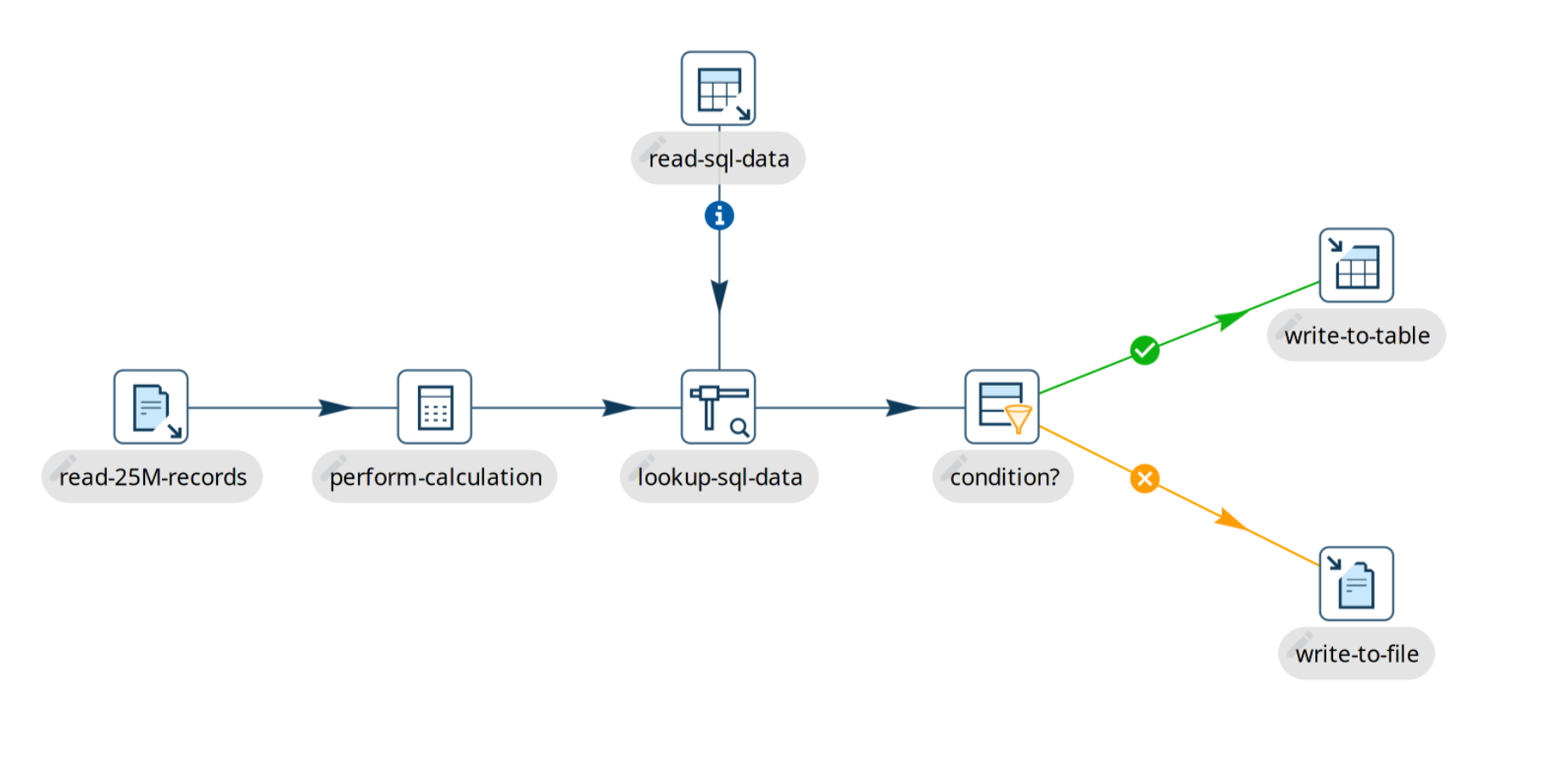
- Lookups
SSIS
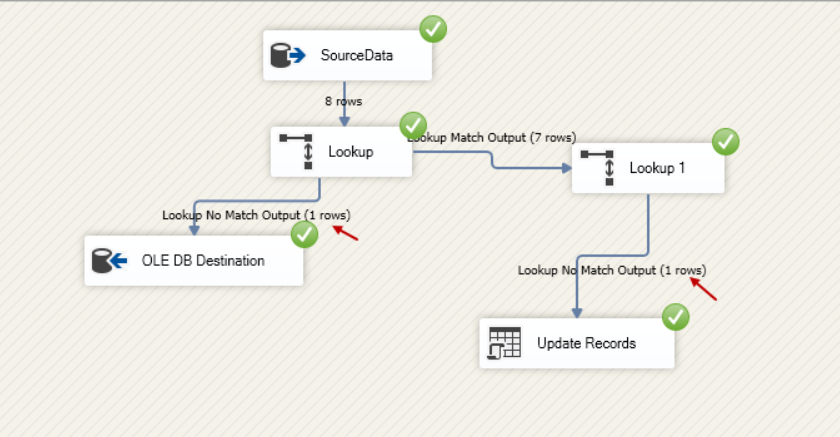
Apache Hop
- Joins
SSIS
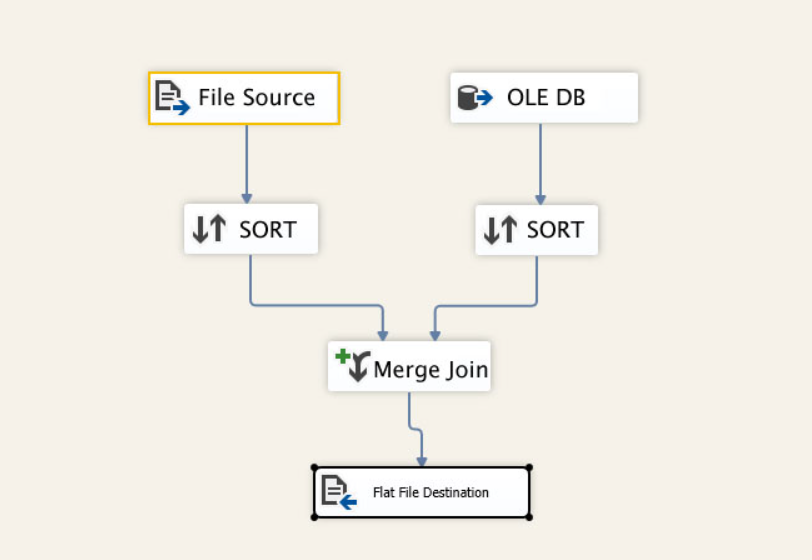
Apache Hop
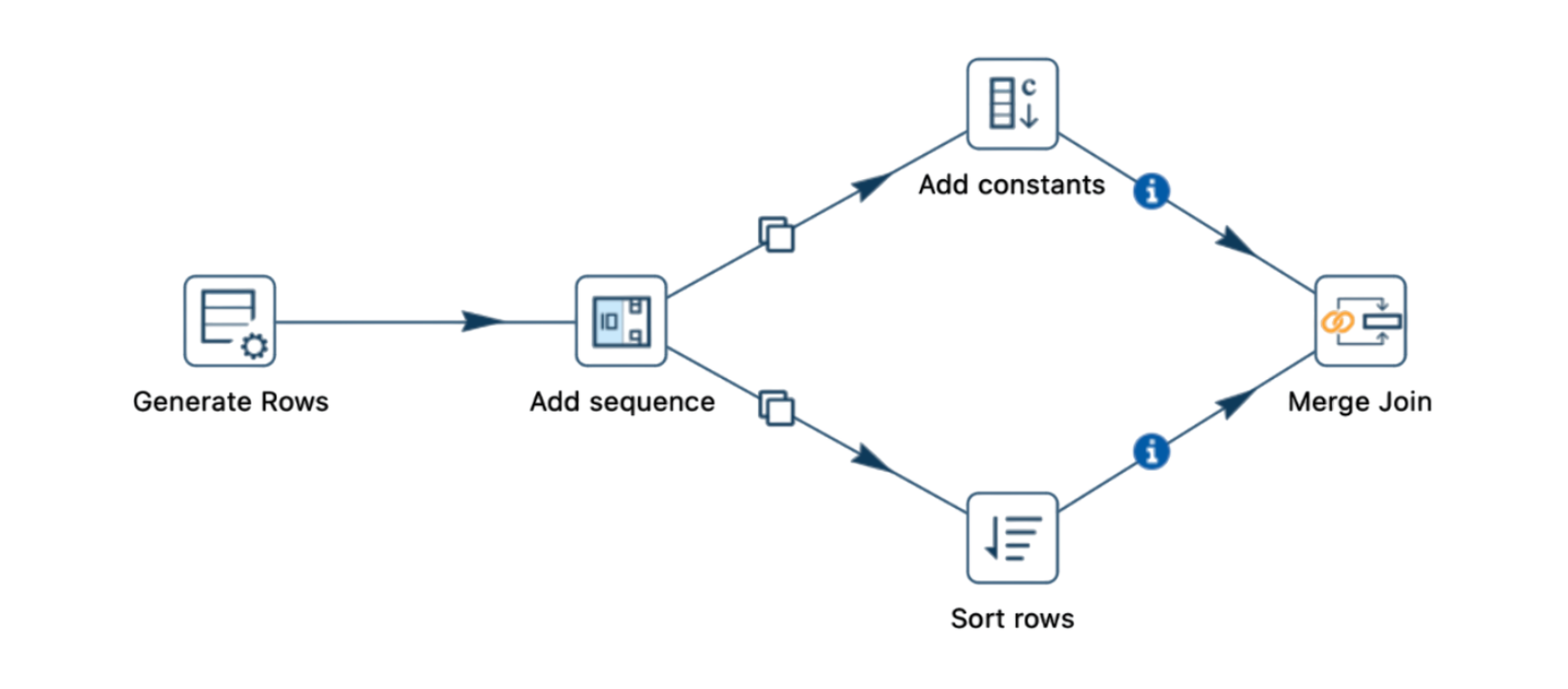
These can often be migrated quickly.
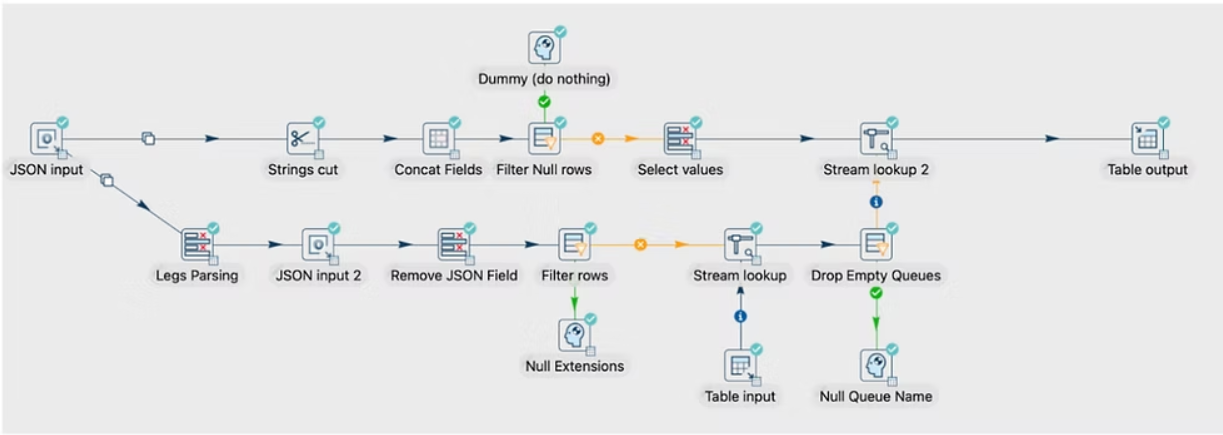
- Script-heavy packages or custom components
may require partial redesign or refactoring.
Examples:
- Heavy Script Tasks
SSIS
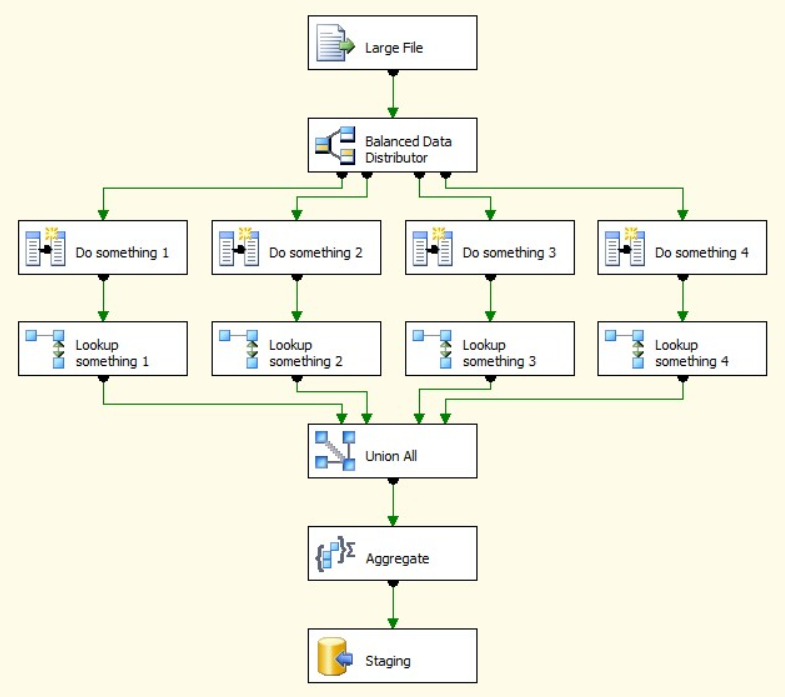
Apache Hop
- Deeply Nested Workflows
SSIS
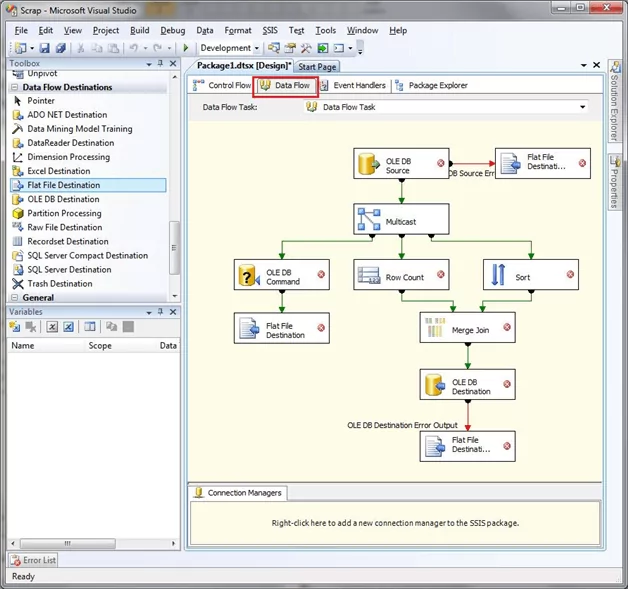
Apache Hop
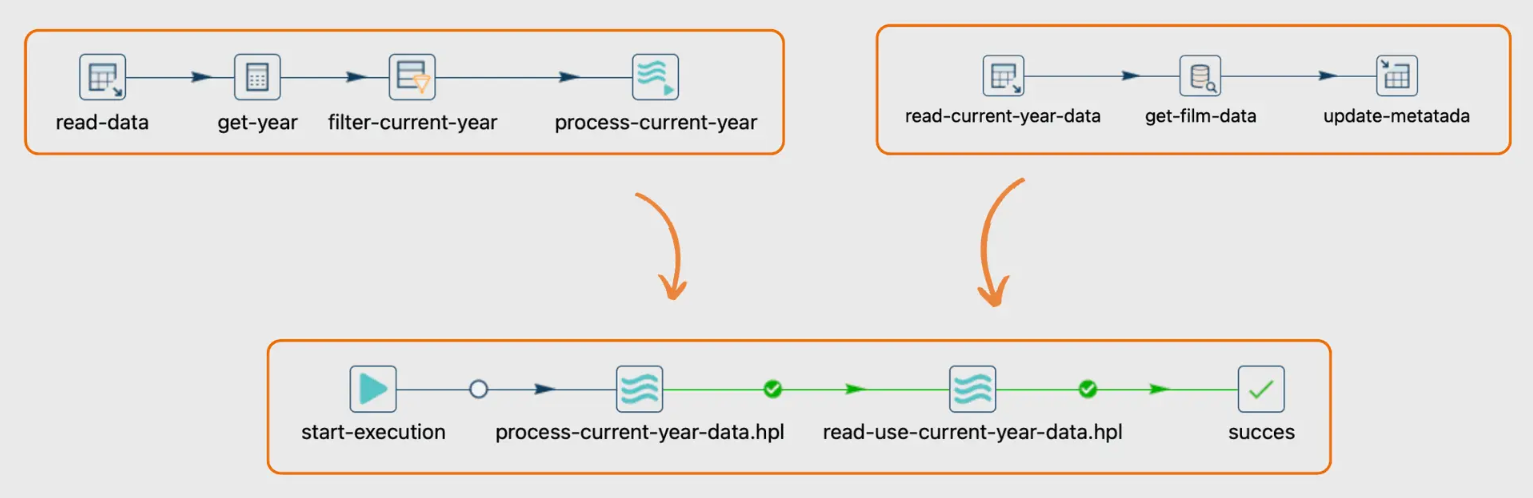
These may require partial redesign or refactoring.
However, even in complex cases, Apache Hop’s modular pipeline design often provides clearer separation between orchestration and transformation logic, which can simplify long-term maintenance.
Apache Hop Capabilities That Help Smooth SSIS Migration
- Native Git-Based Version Control
One of the biggest operational challenges with SSIS is that packages are stored as .dtsx XML files, which are difficult to track in Git and often cause messy diffs and merge conflicts.
Apache Hop addresses this directly.
How Hop Helps
- Pipelines and workflows are stored as human-readable metadata files (JSON/XML/YAML).
- Git integration is built directly into the Hop GUI.
- Developers can:
- commit pipelines
- compare changes
- branch environments
- collaborate safely.
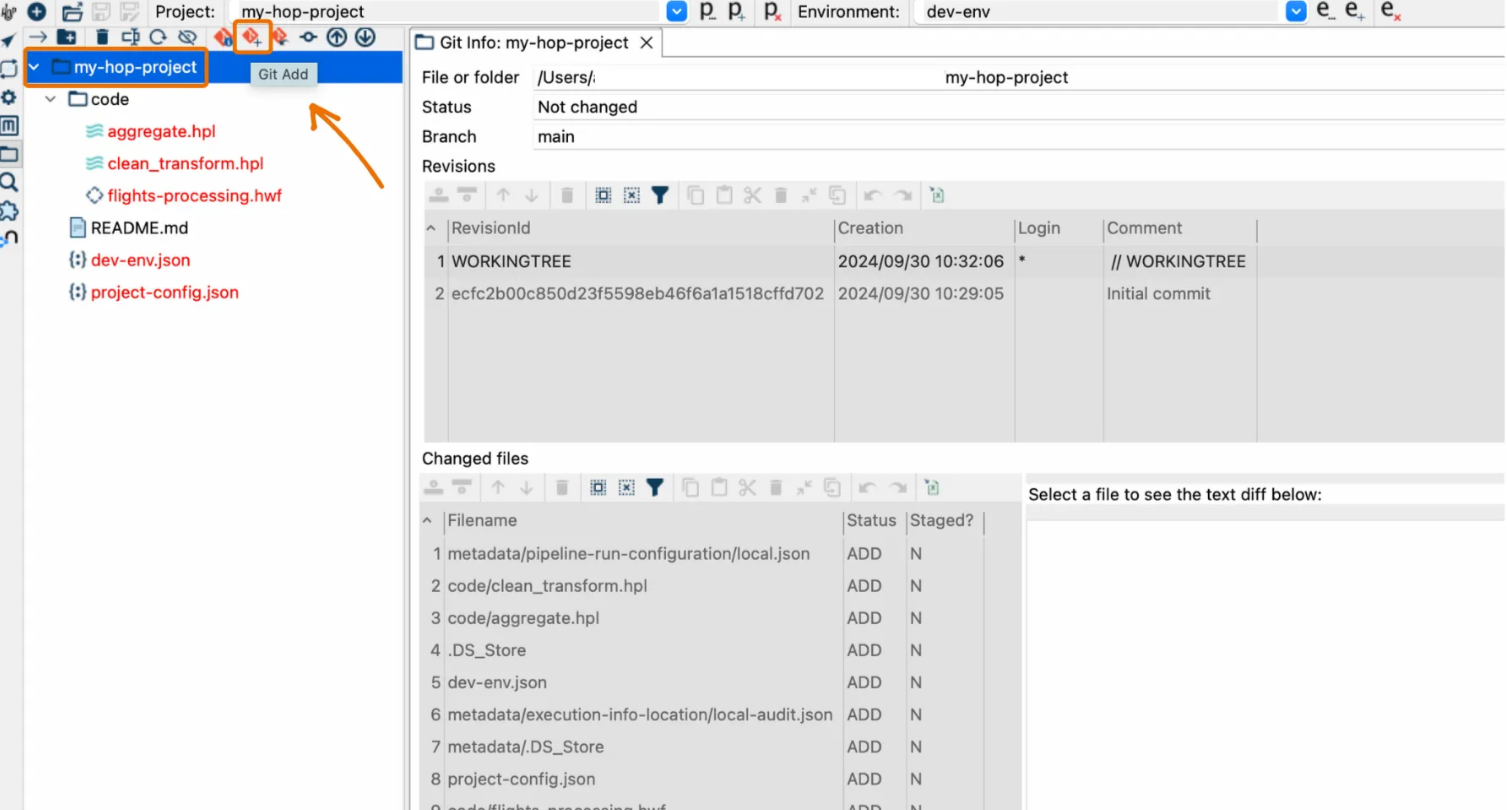
Why This Matters for Migration
During migration, teams often need to:
- iterate quickly
- test pipeline variations
- collaborate across teams
Git-based versioning makes this far easier and safer than traditional SSIS package management.
- CI/CD Friendly Architecture
SSIS was designed before modern DevOps pipelines became standard.
While CI/CD can be implemented with SSIS, it usually requires custom scripting, additional tooling, and environment configuration management.
Apache Hop, however, was designed with automation in mind.
Hop Supports:
- CLI-based execution
- container-based pipelines
- Git integration
- environment parameterization
This makes it straightforward to integrate Hop into CI/CD tools such as:
- GitHub Actions
- GitLab CI
- Jenkins
- Azure DevOps
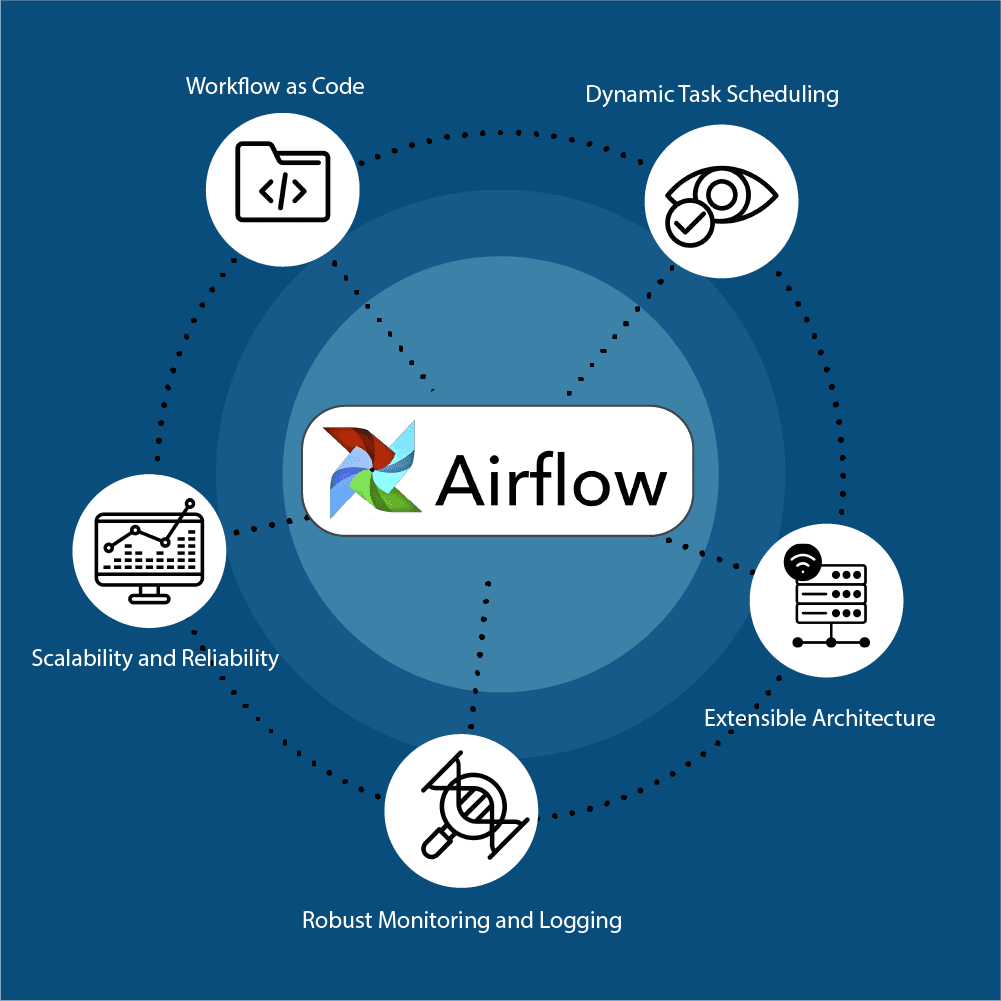
Migration Advantage
During SSIS migration, teams can immediately introduce automated deployment pipelines, improving reliability compared to legacy SSIS deployment methods.
Take a look at our in-detail article about Apache Hop Meets GitLab: CICD Automation with GitLab
- Engine-Agnostic Execution
Apache Hop pipelines are execution-engine independent.
The same pipeline can run on:
- the Hop local engine
- Apache Spark
- Apache Flink
- Apache Beam
This allows teams to scale pipelines without redesigning them.
Migration Benefit
Teams can migrate pipelines first and optimise execution later, avoiding premature infrastructure decisions.
Before / After Architecture View
Decision makers often want to understand how the architecture changes.
You can add a small comparison:
Typical SSIS Architecture
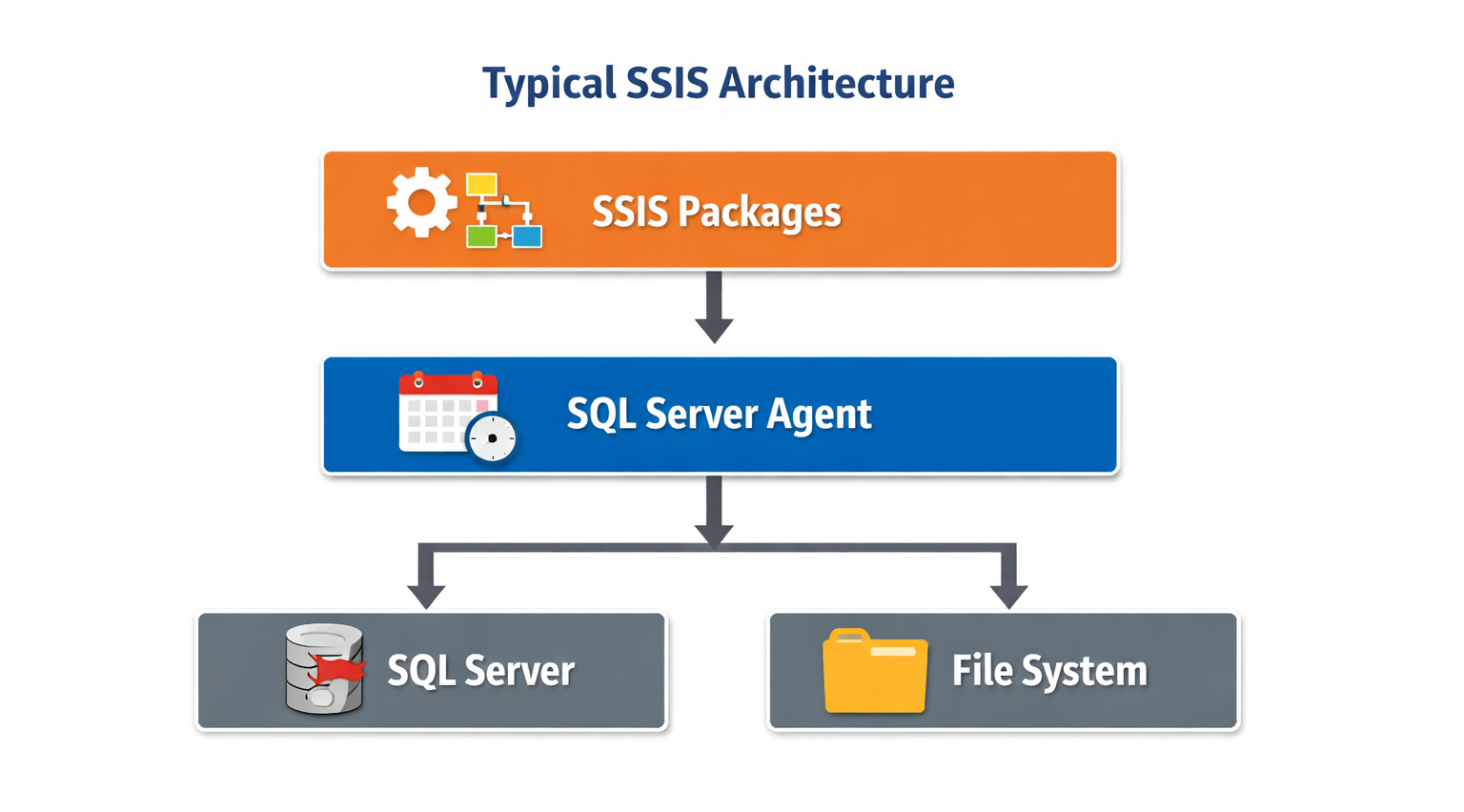
Typical Apache Hop Architecture
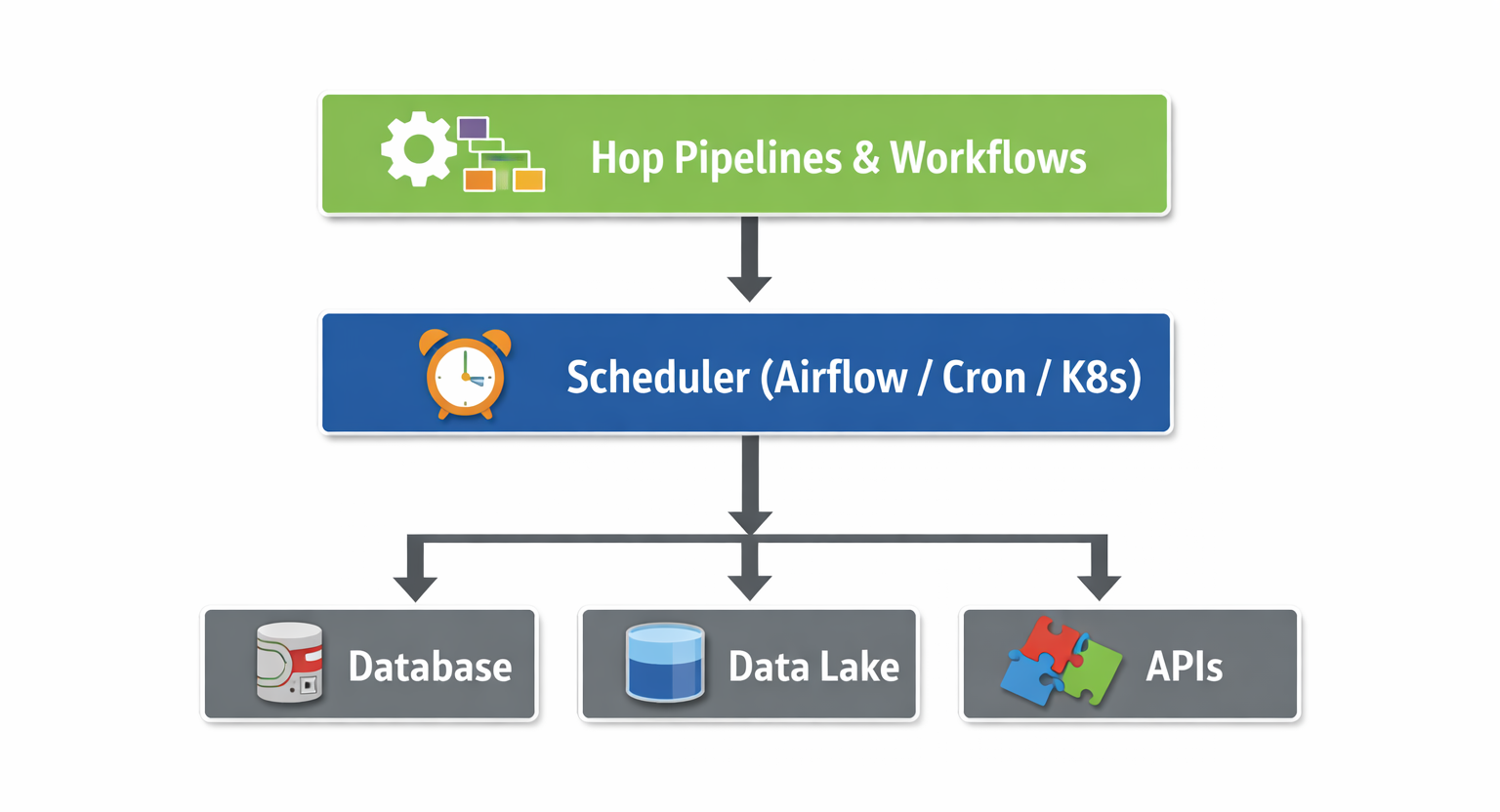
This clarifies why Hop fits modern architectures better.
A Practical Migration Strategy
Organisations migrating from SSIS to Apache Hop typically follow a structured modernisation process.
Step 1 — Assess the existing SSIS environment
Begin by cataloguing existing SSIS packages and identifying:
- pipeline complexity
- dependencies
- scheduling patterns
- external integrations
This assessment helps identify which pipelines are easiest to migrate first
Step 2 — Identify migration candidates
Good candidates for early migration include:
- standalone pipelines
- file ingestion processes
- SQL-driven data transformations
- non-critical workloads
These pipelines provide quick wins and help teams build confidence with the new platform.
Step 3 — Introduce Apache Hop alongside SSIS
Rather than replacing SSIS immediately, Apache Hop can be introduced as an additional orchestration layer.
During this stage:
- New pipelines are built in Hop
- Selected pipelines are migrated
- Both platforms operate simultaneously
This allows teams to validate performance, stability, and operational workflows.
Step 4 — Gradually migrate remaining workloads
As experience grows, more complex pipelines can be migrated.
Over time, the balance shifts toward Apache Hop as the primary orchestration platform.
Step 5 — Decommission legacy packages
Once migration reaches a stable state, remaining SSIS packages can be retired.
At this point, organisations typically gain:
- improved deployment flexibility
- better DevOps integration
- cloud-ready execution models
- lower platform dependency
The Practical Takeaway
Migrating from SSIS to Apache Hop does not have to be a disruptive project.
Instead of a risky “big bang” replacement, organisations can introduce Apache Hop gradually, modernising pipelines step by step while existing SSIS workloads continue to operate.
This incremental approach allows teams to modernise their data integration architecture at a controlled pace while maintaining operational continuity.
Conclusion
Modernising ETL infrastructure is rarely about replacing one tool with another overnight. It is about creating a path that allows existing systems to continue operating while new capabilities are introduced gradually.
For organisations currently running SSIS, Apache Hop offers a practical modernisation route. Its conceptual similarity to SSIS reduces migration friction, while its open and flexible architecture enables modern deployment models that align with cloud-native data platforms.
Rather than forcing a disruptive platform shift, Apache Hop allows teams to modernise their integration environment at their own pace, preserving stability while enabling future growth.
Please find links to our previous articles on SQL Server Integration Service vs Apache Hop:
Need Help Planning an SSIS to Apache Hop Migration?
If your organisation is evaluating ETL modernisation, we help teams:
- Assess existing SSIS environments
- Design migration strategies
- Modernise pipelines incrementally
- Implement Apache Hop in production environments
Other Related Blog Posts
Check out our other Blog posts:
- Integrating Apache Hop with n8n: Axxonet’s Blueprint for Scalable, Automation‑Driven Data Pipelines
- SQL Server Integration Service vs Apache Hop – Execution, Cloud Strategy, and the Microsoft Fabric Question (Part 2)
- SQL Server Integration Service vs Apache Hop – How ETL Tools have evolved and where Modern Tools Fit In (Part 1 of 2)
- Apache Hop Meets GitLab: CICD Automation with GitLab
- Simpler alternative to Kubernetes – Docker Swarm with Swarmpit
- Why choose Apache Druid over Snowflake
- Apache Druid Integration with Apache Superset
- Streamlining Apache HOP Workflow Management with Apache Airflow
- Comparison of and migrating from Pentaho Data Integration PDI/ Kettle to Apache HOP
Reach out to us at analytics@axxonet.net or submit your details via our contact form.